The State of AI Podcasting in 2026
The barrier to entry for high-quality audio has never been lower. According to 2026 data from Javadex, the global podcasting market is projected to reach $32 billion this year, with over 500 million monthly listeners worldwide. As the audience grows, so does the demand for polished, professional content. Creators are no longer spending hours manually cutting 'ums' and 'uhs'; instead, they are using AI to handle the technical heavy lifting.
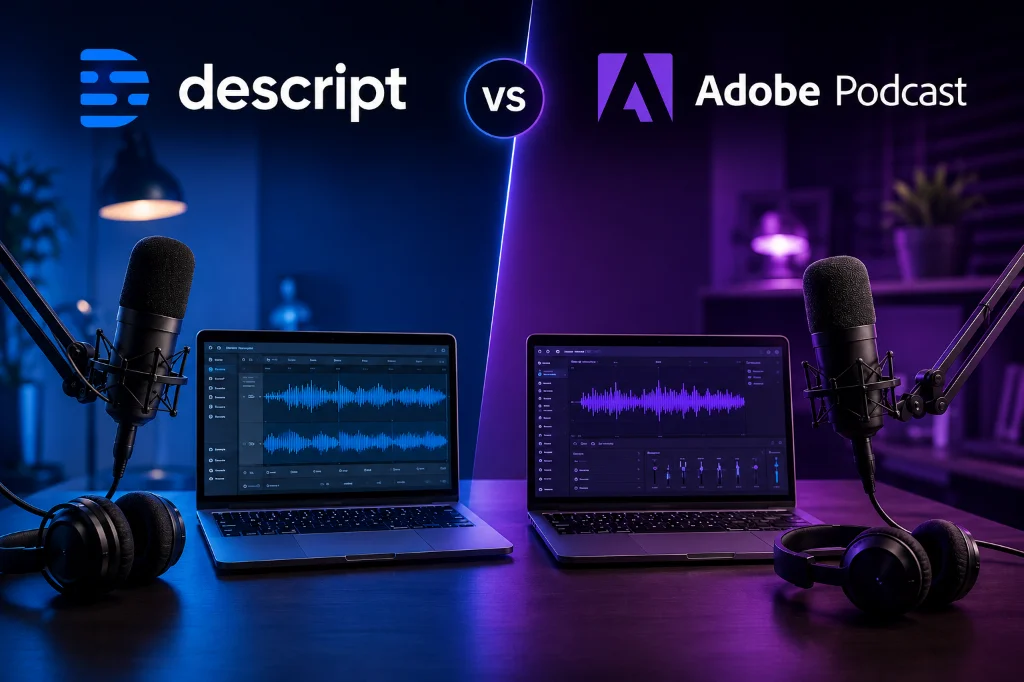
In this environment, the debate of Descript vs Adobe Podcast has shifted. It is no longer just about which tool has the better noise reduction, but which one integrates most effectively into a modern, multi-platform content strategy. Whether you are producing a solo show or a complex video podcast, the choice between these two will define your weekly production speed.
Descript: The All-in-One AI Production Suite
By 2026, Descript has evolved far beyond its origins as a simple transcription tool. It is now a full-fledged creative engine that treats audio and video as easily as a Word document. If you can edit text, you can edit a podcast. This 'script-based' editing remains its biggest competitive advantage.
Key Features of Descript in 2026
- Underlord AI: This is Descript’s centralized AI assistant that handles everything from removing filler words to generating show notes and social media clips in one click.
- Studio Sound: While Adobe pioneered AI audio enhancement, Descript’s Studio Sound has caught up, offering robust background noise removal and voice regeneration.
- Regenerative Voice: Using technology similar to ElevenLabs, Descript allows you to fix a misspoken word by simply typing the correct one, generating a seamless clone of your own voice.
- Multitrack Video Editing: Unlike its competitor, Descript is a powerhouse for video podcasters, allowing for complex layouts, captions, and transitions within the same interface.
The primary draw of Descript is efficiency. Research from ToolsBrief indicates that Descript’s creator plan, priced at $35 monthly, is designed for those who want a single platform to handle recording, editing, and social media distribution. It is a 'workflow' tool rather than just an 'effect' tool.
Adobe Podcast: The Specialist in Audio Perfection
While Descript tries to do everything, Adobe Podcast focuses on doing one thing better than anyone else: making audio sound incredible. It is a browser-based suite that feels lighter and more accessible for users who prefer to do their heavy editing in other software but want Adobe's legendary signal processing.
Key Features of Adobe Podcast in 2026
- Enhance Speech: This remains the gold standard for audio restoration. It can take a recording done on a smartphone in a busy coffee shop and make it sound like it was recorded in a soundproof booth.
- Mic Check: A real-time tool that helps creators optimize their recording environment before they even hit the record button, ensuring the best possible raw file.
- Studio (Browser-Based): A lightweight, collaborative editor that allows multiple people to record high-quality tracks simultaneously from different locations, similar to Riverside.
- Adobe Express Integration: For 2026, Adobe has tightened the link between Podcast and Express, making it easier to turn audio snippets into visual content for platforms like Instagram or TikTok.
Adobe Podcast Premium is positioned as a more budget-friendly entry point at $9.99 per month. It is the ideal choice for creators who might already be using tools like ChatGPT for scripting and just need a reliable way to ensure their audio quality meets professional standards without a steep learning curve.
Descript vs Adobe Podcast: 2026 Comparison Matrix
To help you decide which tool fits your current setup, here is a breakdown of how they compare across the most critical categories for modern creators.
| Feature | Descript | Adobe Podcast |
|---|---|---|
| Core Workflow | Text-based editing (Audio & Video) | Audio recording & enhancement |
| AI Audio Cleanup | Studio Sound (Very Good) | Enhance Speech (Industry Leading) |
| Video Support | Full 4K multitrack editing | Limited (via Adobe Express) |
| Voice Cloning | Built-in (Overdub) | Not available |
| Starting Price | $16/mo (Hobbyist) | $9.99/mo (Premium) |
Who Should Use This / Our Recommendation
If you are a solo creator or a small team producing video podcasts and social media clips, Descript is the clear winner. The ability to edit video by deleting text saves hours of manual labor that no other tool can currently match in 2026.
If you are a traditional audio-only podcaster who records on the go or in non-ideal environments, Adobe Podcast is the better choice. Its specialized 'Enhance Speech' tool provides a level of clarity that is difficult to replicate, and its lower price point makes it an easy addition to any toolkit.
Frequently Asked Questions
Q: Can I use Adobe Podcast for video editing?
Adobe Podcast itself is focused on audio. While you can export your enhanced audio to use in video projects, it does not offer the native, text-based video editing capabilities that Descript provides. For full video production, you would need to pair it with Premiere Pro or Adobe Express.
Q: Does Descript support multiple languages in 2026?
Yes, Descript has expanded its transcription and translation capabilities to support over 30 languages. It can even generate captions and social media clips in different languages using AI-driven translation layers.
Q: Is Adobe Podcast's 'Enhance Speech' still free?
As of 2026, Adobe offers a limited free version of Enhance Speech with daily file limits. However, the Premium version ($9.99/mo) is required for bulk processing, larger file sizes, and access to the full Studio recording suite.
Q: Which tool is better for remote interviews?
While both have remote recording capabilities, Adobe Podcast Studio is built specifically for high-fidelity remote audio capture. However, many creators still prefer using Riverside for the highest quality local recordings and then importing those files into Descript for editing.
The landscape of AI editing is moving fast, and the best tool is the one that actually gets your episodes published. Whether you choose the all-in-one power of Descript or the surgical precision of Adobe Podcast, the goal remains the same: spend less time clicking and more time creating.
Last updated: May 2026. Tool features and pricing are subject to change — verify on official websites before deciding.